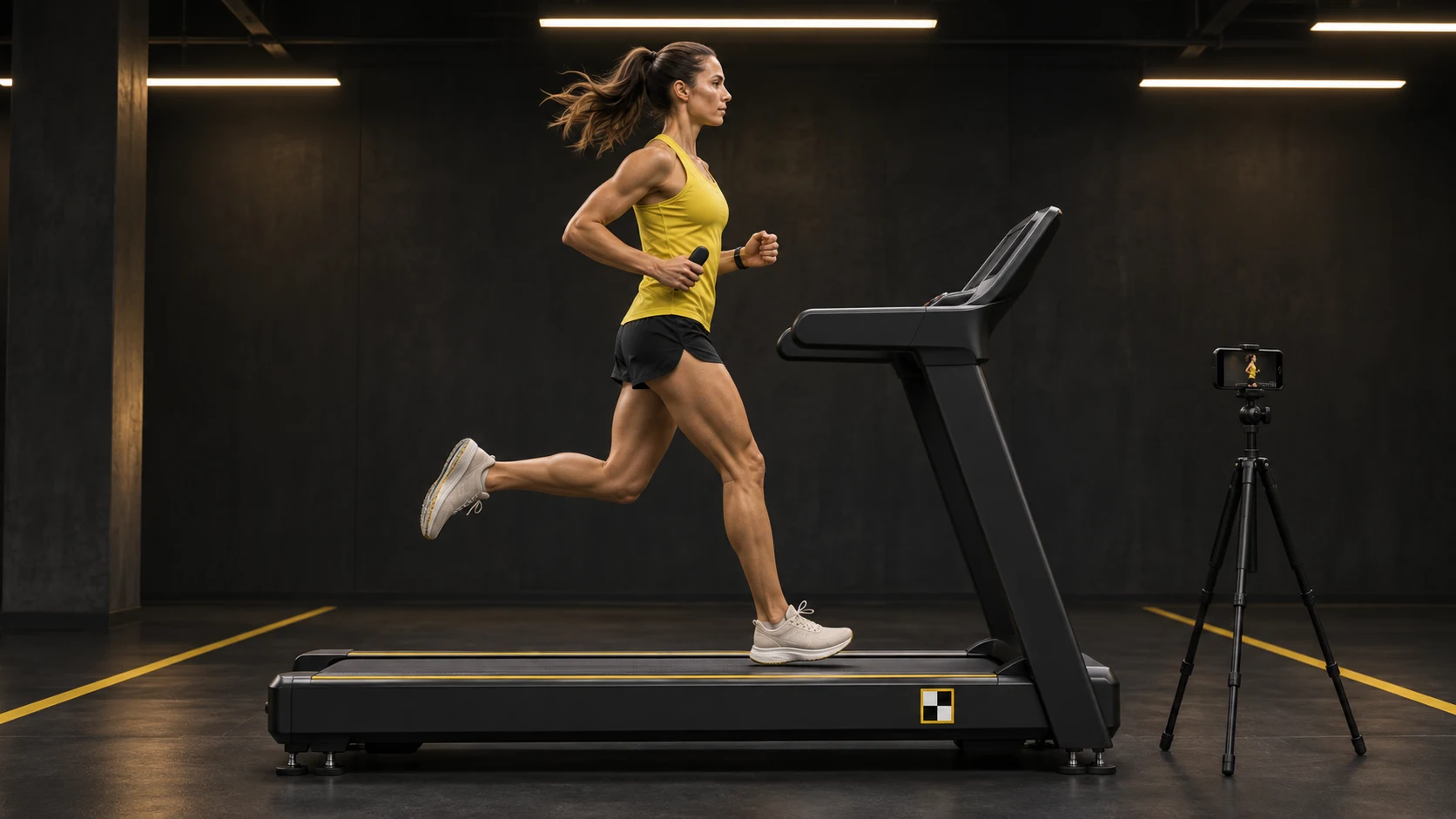
 SIDE-ON REPLAY / A FIXED POINT TO COMPARE
01 / THE FOOTSTRIKECatch the brake.
See the gap between where your foot hits and where your hips are—and compare the milliseconds spent slowing down before you push off.
Runners / Treadmills / Tracks / Live replay
That run felt faster.
Now see where you took the brakes off.
Running faster starts with seeing where you lose speed. Landing too far ahead of your hips can check your momentum on every step. RunXn brings a fixed lane marker, footstrike replay and a small pulse in your hand together—so you can spot the braking and feel the rhythm you want to keep, without looking down at a watch.
Talk to us about partnerships ↗Development preview. Generated imagery and invented numbers.
Accounts use the shared RippleXn hub. RunXn sessions are in development.
The lane × The footstrike × The pulse in your hand
Film from the side on a treadmill or track lane with a RipTag in frame. Pair the replay with footstrike sensing to explore where your step checks your speed, while a small pacer in your palm gives you a rhythm to follow.
SIDE-ON REPLAY / A FIXED POINT TO COMPARESee the gap between where your foot hits and where your hips are—and compare the milliseconds spent slowing down before you push off.
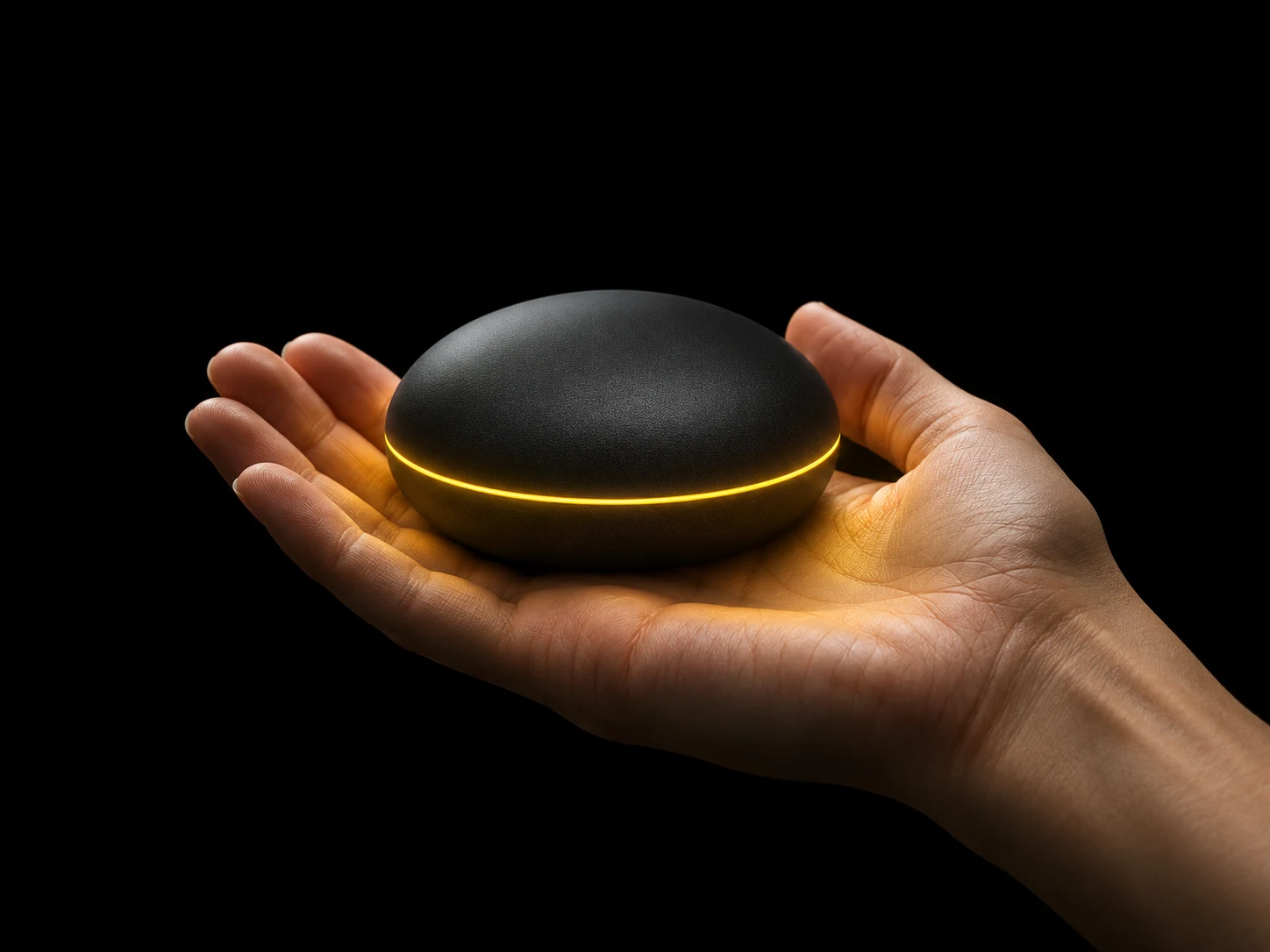 TOUCH. RESPOND. / EYES UP, RHYTHM ON.
Keep your eyes ahead. Hold the pacer in your palm: a gentle forward cue when you drop off your target split, and a clean tap when your stride finds its rhythm.
The preview below shows the experience we’re building. It illustrates the timing cues on screen; it does not connect to a camera, footstrike sensor or hand pacer.
Try it / Eight invented runs
Move through the eight runs. Watch the braking check shrink as the foot lands closer underneath the runner. These are made-up results to explore—not a promise of a particular pace.
Choose a rig to see your own readings. The eight-run preview stays available.
Use a rig that sends the RunXn reading format ↓. Bluetooth needs the service IDs supplied with its firmware. A battery reading alone cannot drive this stage.
Bluetooth: supported Chrome / Edge browsers on Android, Windows and macOS. USB Serial: supported desktop browsers. Direct USB: compatible devices and browsers only; some boards need OS drivers. NFC Tap In: supported Android Chrome devices and NDEF tags. Safari and iOS can use the preview.
Live mode receives only the rig you choose. Nothing is uploaded or saved by this bridge. The existing preview notices describe the eight invented runs. Live numbers drive the illustrated stride; the force curves remain illustrative. Pairing or tapping a tag does not verify 0.1 mm accuracy or spatial calibration.
Palm commands use the documented byte values and require matching firmware. The rig must stop every cue within three seconds and stop on connection loss. No commands are sent until you enable palm cues and click a feeling.
Invented runs. Landing gap enlarged. Curves and vectors illustrate timing, not measured force.
ahead of hips
the check before push-off
from landing to lift-off
invented example pace
Double tap — braking hard on the heel
The foot reaches out. A longer check follows before the next push.
These eight landing, braking, and pace numbers are invented to show how RunXn puts a fixed marker, a footstrike sensor, and a hand pacer together. They were not recorded from a real runner. Landing position and ground time are two clues among many; they do not replace coaching or medical advice.
A forward “pull” describes a touch cue, not a force that propels you. The hand animation previews the rhythm, with optional sound and supported phone vibration. It does not reproduce the directional sensation of a hand pacer. A real session needs suitable sensing and calibration—video alone does not measure braking force.
How a session works / The 4-part loop
No app to download. Open the page from the RipTag QR code, tap Pair Rig, and your browser talks straight to the sensors on the lane and the pacer in your hand.
Put a RipTag on the treadmill or lane. Scan the QR on your phone and tap your runner card on the starter unit.
Run with the pacer in your hand while the camera and deck catch where you land and how hard you brake.
Compare Run 1 against Run 8—or stack your stride right over the fastest runner on that lane this week.
Send your live trace to YouTube Live or Twitch. Race someone on a treadmill halfway across the world and feel their kick right in your palm.
The full session and live-stream connection are in development. This website lets you explore the eight example runs now.
The show / YouTube Live & Twitch
The replay shows where the pace changed. The pulse puts the timing in your hand. Bring your best run back, line it up with a rival, and find the step you want to keep.
Compare the eight runs ↗Preview of the broadcast experience. No live stream or connected pacer is running here.
One demonstrator · One agreed test · One commercial decision
One treadmill or indoor sprint lane is all it takes to bring the full loop together: a fixed RipTag marker, footstrike sensing on the deck or shoe, and the directional pacer in the runner’s hand.
For venues, labs and partners: start with one setup and a clear question. Can runners recognise the check, feel the timing and repeat the step they want to keep?
Talk to us about partnershipsA fixed marker. A side-on replay. A step you can compare.
A rhythm you can feel.